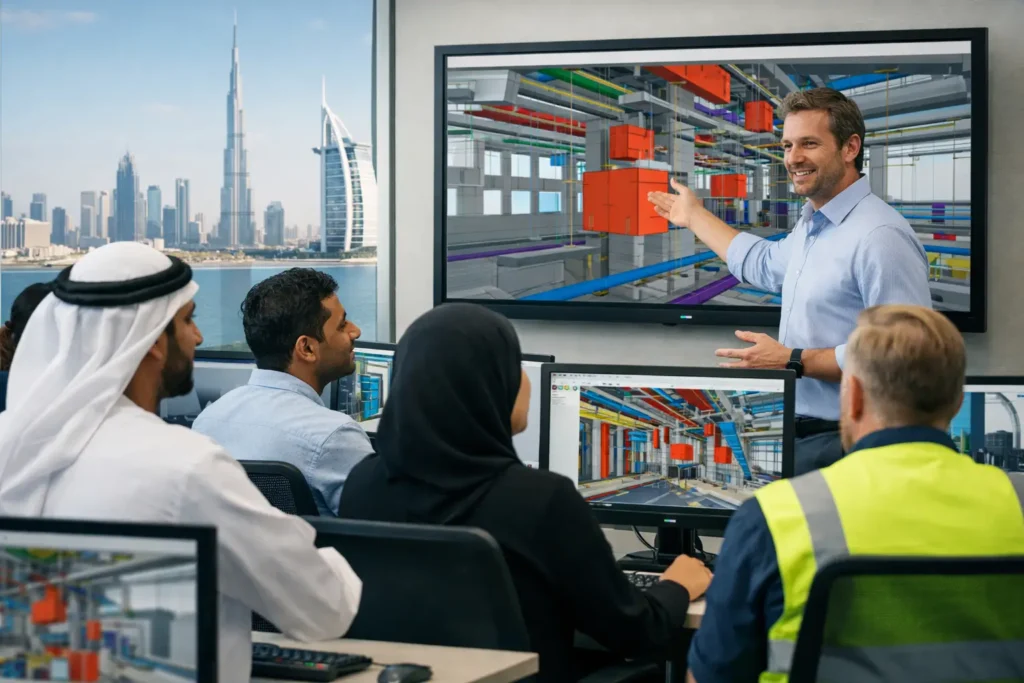
A clash found during construction can stop a workfront, trigger redesign, affect procurement, and create costly delays. A clash found during model coordination is a controlled decision. That is why Navisworks clash detection training is a high-value skill for BIM coordinators, MEP engineers, architects, civil professionals, contractors, and project teams delivering complex AEC work across the UAE and GCC.
Autodesk Navisworks Manage brings models from multiple disciplines into one coordinated environment. It helps teams identify where systems physically collide, where clearances are not maintained, and where design decisions need agreement before site execution begins. The software is powerful, but its value depends on the person running the coordination process. Simply pressing the Clash Detective button is not BIM coordination. Professionals need to know what to test, how to filter meaningful issues, who should resolve them, and how to document closure.
Why Navisworks Clash Detection Training Matters
Modern projects are built by many disciplines working at the same time. Architectural ceilings, structural beams, HVAC ducts, fire protection pipes, electrical containment, plumbing lines, equipment access zones, and civil elements must occupy the same physical space without creating installation conflicts. A federated model may look complete while still containing hundreds or thousands of unresolved issues.
Navisworks Manage supports model aggregation and clash analysis across formats commonly used in BIM workflows, including Revit, AutoCAD, Civil 3D, IFC, and NWC files. Yet a raw clash report can be misleading. A pipe passing through a wall opening may be intentional. Two modeled insulation layers may generate a duplicate warning. A minor overlap may be acceptable, while an access clearance conflict around an AHU may create a serious maintenance problem.
Effective training teaches professionals to distinguish between model noise and construction risk. This is the difference between producing a long report and supporting a project team with decisions they can act on.
What a Professional Clash Detection Course Should Cover
A useful Navisworks program should move from model understanding to live coordination practice. Beginners need a clear workflow, while experienced engineers need advanced control over test setup, issue tracking, and reporting.
Federating models and checking model quality
The first stage is bringing discipline models together correctly. Participants learn how to append and merge models, navigate a federated model, inspect object properties, use selection tools, and organize views. They also learn why model origin, coordinates, units, naming conventions, and revision control affect coordination quality.
A clash test is only as reliable as the models being tested. If an MEP model is shifted, an outdated structural model is used, or project coordinates are inconsistent, the resulting report can waste valuable coordination time. Training should show how to identify these issues before clash testing starts.
Setting up intelligent clash tests
A professional does not test every object against every other object. That approach creates noise and hides priority issues. The course should teach selection sets and search sets so teams can isolate relevant systems, such as supply ducts against structural framing or cable trays against fire pipes.
Participants should practice hard clashes, clearance clashes, and duplicate clashes. Hard clashes identify physical intersections. Clearance tests check required spaces around services, equipment, and access routes. Duplicate tests can help identify repeated or overlapping elements that may indicate a modeling problem.
Tolerance is another critical setting. A zero-tolerance test can report irrelevant contacts, while a tolerance that is too large may overlook an actual installation issue. The correct value depends on the project standard, trade, construction method, and required clearance. There is no single tolerance that suits every project.
Reviewing and grouping results
Once results are generated, the real coordination work begins. Learners should understand how to review clashes in context, save viewpoints, use sectioning tools, inspect properties, assign statuses, and add clear comments. Grouping related clashes is equally important. One duct route crossing a structural beam may create 20 individual clashes, but it may require one design decision rather than 20 separate discussions.
A well-organized issue log gives model authors a clear action: what is wrong, where it occurs, why it matters, and which discipline needs to respond. It also creates an auditable record for BIM meetings and project leadership.
Reporting, tracking, and issue closure
Coordination is not complete when an issue is reported. It is complete when the revised model is reviewed and the issue is closed with confidence. Training should cover report templates, viewpoints, clash status management, revised model comparison, and re-running tests after updates.
Teams also need practical reporting judgment. A project manager may need a short, high-priority dashboard. A discipline lead may need detailed viewpoints and object data. A consultant may require formal evidence of issue closure. Navisworks reporting should be adapted to the audience, not generated as a one-size-fits-all document.
A Practical Navisworks Clash Detection Training Workflow
The strongest learning environment uses project-based exercises rather than isolated commands. A realistic workflow starts with receiving architectural, structural, and MEP models. Participants federate the files, verify positioning, create discipline-based sets, and establish clash rules based on a BIM execution plan.
They then run focused tests, review the findings, eliminate false positives, group repeated issues, and prioritize serious coordination risks. For example, a main chilled water pipe through a transfer beam, insufficient clearance for electrical panel access, or a duct conflict in a corridor ceiling zone should receive attention ahead of minor insulation contact.
The next stage is preparing viewpoints and reports for a coordination meeting. Participants learn to communicate the issue without blaming a discipline. The goal is to identify the most practical resolution while considering structure, services, architecture, maintenance, cost, and site installation sequence.
Finally, revised models are appended and checked again. This closes the loop between detection, assignment, resolution, and verification. It is the workflow expected from BIM coordinators working on commercial towers, hospitals, airports, industrial facilities, infrastructure, and large-scale residential developments.
Online and Classroom Learning for GCC Professionals
For professionals in Sharjah, Dubai, Abu Dhabi, Ajman, and Ras Al Khaimah, classroom BIM training offers direct instructor interaction and structured practice with real project coordination scenarios. It is particularly valuable for learners moving from Revit modeling into BIM coordination roles or for companies establishing a common clash management workflow.
Online sessions make the same technical progression accessible to learners across Oman, Saudi Arabia, Kuwait, Bahrain, Qatar, Egypt, Sudan, and other MENA locations. Live online training can cover model federation, Clash Detective setup, search sets, clearance requirements, viewpoints, reports, and clash resolution workflows through instructor-led screen demonstrations and guided exercises.
For professionals in Muscat, Riyadh, Jeddah, Dammam, Kuwait City, Manama, Doha, Cairo, Alexandria, and Khartoum, online learning is most effective when it includes live practice and feedback rather than recorded videos alone. Project teams can also schedule customized sessions around their active models, internal BIM standards, and discipline priorities.
CADD International Sharjah provides instructor-led BIM learning options for individual professionals and corporate teams, including online and on-premises corporate training with valid software licensing. Sessions can be delivered in English, Malayalam, Hindi, Tamil, Kannada, and Arabic. One-on-one, premium private, customized, advanced-topic, and project-assistance sessions are particularly useful when learners need support with a live coordination assignment or a specific project delivery requirement.
Who Benefits Most From This Skill
Navisworks Manage is not only for dedicated BIM coordinators. Mechanical engineers can use clash review to improve duct and piping layouts. Electrical engineers can validate tray routing and equipment clearance. Architects can protect ceiling design, room function, and access requirements. Civil and structural professionals can review penetrations, supports, and framing conflicts before they become site queries.
Project engineers and construction managers also benefit because coordination reports translate model information into sequencing and execution decisions. For organizations, the strongest results come when modelers, discipline leads, and site teams share the same issue classification and response process.
Choosing the Right Level of Training
Beginners should start with Navisworks interface navigation, model aggregation, basic selection, viewpoints, and focused hard-clash tests. Professionals already familiar with Revit or BIM modeling can progress faster into search sets, rules-based testing, tolerances, coordination reporting, and issue management.
Advanced learners and corporate teams may need training tailored to their BIM execution plan. This can include trade-specific clash matrices, naming rules, model submission checks, coordinated reporting formats, and mock coordination meetings. The right course depends on whether the goal is individual career growth, a project deadline, or organization-wide BIM implementation.
The market does not reward professionals who merely identify clashes. It rewards those who can turn a federated model into coordinated action, protect construction progress, and help teams build with greater certainty. Build that capability through disciplined practice, then bring it to the next coordination meeting with confidence.
Pingback: MEP Careers: Build Skills for GCC Projects - CADD International Sharjah